Reporting an issue
The fastest way to flag a platform bug or a data question is the Report an Issue button, available directly within the platform.
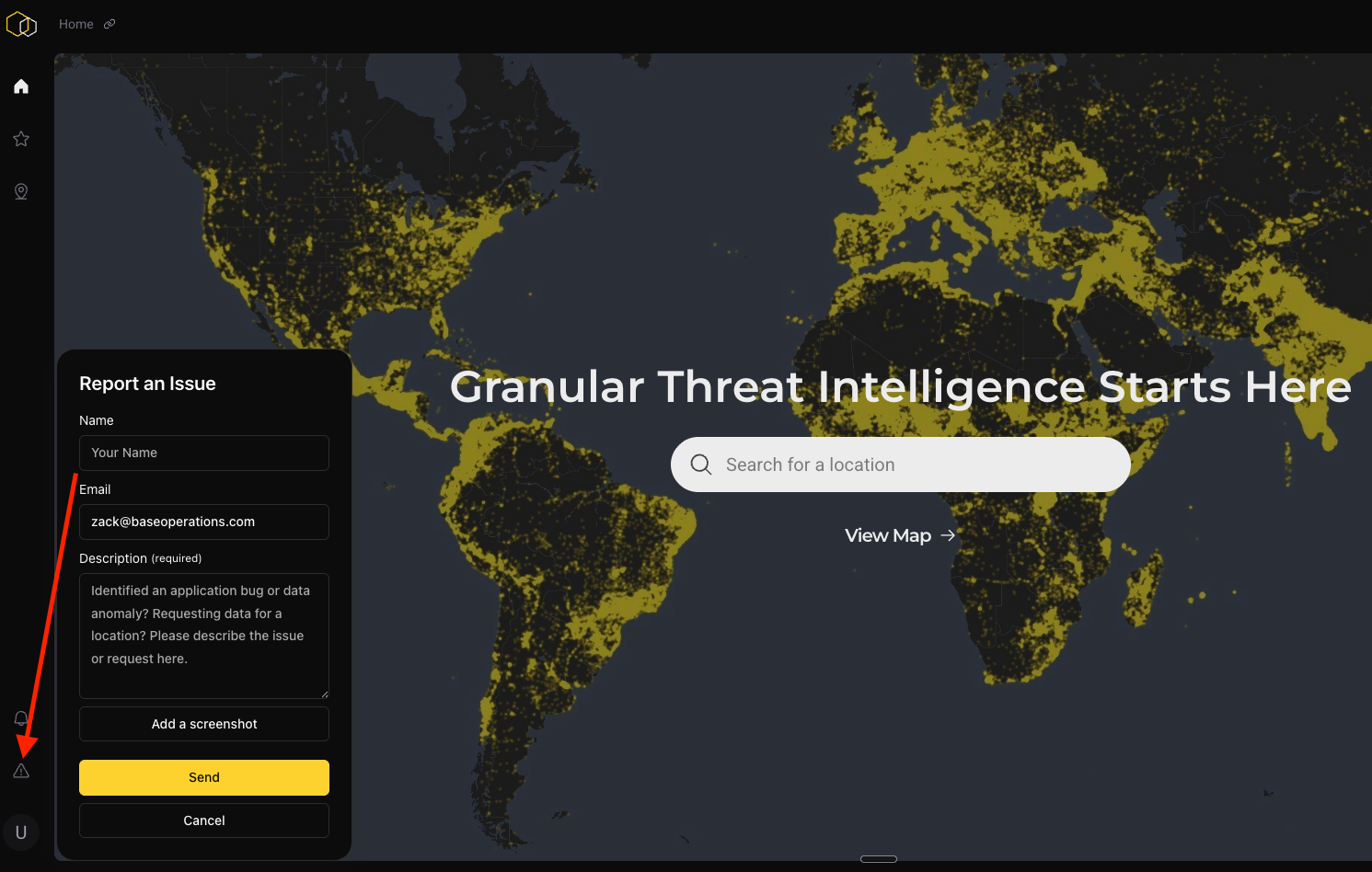
Why use the in-platform button
- You can attach screenshots directly in the form
- It routes to the full Base Operations support team, not a single inbox
- It creates a documented record
For anything you can show with a screenshot — a UI bug, a location rendering oddly, a number that looks wrong — this is faster than email and gets to the right team sooner.
What to include
| Include | Why it matters |
|---|---|
| Location name or coordinates | Lets support reproduce it exactly |
| The specific metric that looks off | "The BaseScore" vs. "the event count" are different investigations |
| What you expected vs. what you see | Separates a defect from a misread |
| Your filter settings | Date range, radius, categories, BaseEngine on/off |
| A screenshot | Usually resolves ambiguity immediately |
Filter settings are the most commonly omitted and most useful detail
A share of reports that look like data problems resolve to a filter difference between two views of the same location — most often a different event category selection, which does change the score. Including your settings often gets you an answer in the first reply.
Before you file
Two pages cover the most common surprises and may answer it faster than a ticket:
- When a location has no score — four situations that look identical but call for different responses
- How scores update — the monthly refresh cycle
What happens next
Reports route to the support team, who will triage and come back to you. Data quality issues are investigated against the underlying sources; platform defects are filed with engineering.
If something is time-sensitive — you have a briefing or a trip that depends on it — say so in the report, and flag it to your CSM in parallel.