Users, sharing, and licenses
Adding users
Provisioning requires name and email only. Contact your Customer Success Manager with the list, or your internal administrator if your organization manages provisioning through SSO.
See SSO and provisioning for identity provider configuration.
Private vs. shared locations
Every saved location is either private or shared:
| Setting | Who can see it |
|---|---|
| Private | Only you, within your account |
| Shared | All users in your organization's account |
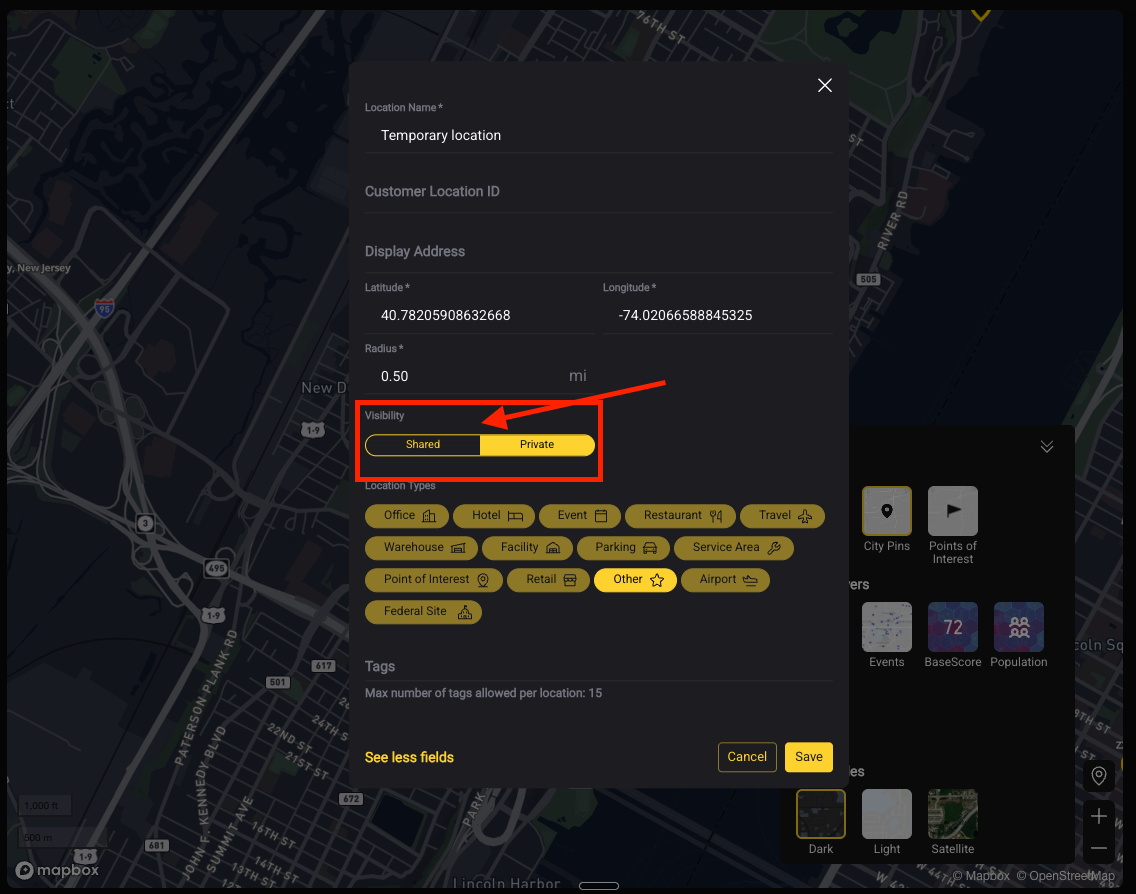
Use shared for sites the whole team needs to monitor — your actual portfolio.
Use private for exploratory research or draft assessments you are not ready to circulate.
Default to shared for real sites
The most common portfolio problem is one person's saved locations being invisible to the rest of the team, which means the same site gets added several times under different names and nobody's dashboard is complete. If it is a real site your organization operates, share it.
You can filter the My Locations dashboard by Shared or Private to see which is which.
Tags
Tags are how you group locations for filtering — by region, business unit, risk tier, or any scheme that matches how your team works.
A location can carry multiple tags. Tags are set when you save a location and can be edited afterwards.
Agree a tagging convention before bulk upload
Tags are far easier to set correctly at upload than to clean up across hundreds of locations later. Decide the scheme first — "Region / Business Unit / Tier" is a common starting point.
Keeping the location list current
Sites open, close, and move. A portfolio that has drifted out of date produces analysis nobody trusts.
Worth a review each quarter: remove closed sites, add new ones, and check that tags still reflect the current organizational structure. Your CSM can run a coverage review against the updated list at the same time.
Licenses
License counts and account-level settings are handled through your account team. Contact your Customer Success Manager to add seats or discuss changes.